Schedule, check in, and pay your officials, all in one place.
Courts across the top, times down the side, and every match covered from R1 to assistant scorer. Set up your event, assign officials, check them in, and add up their pay.
We set up your venues, courts, and roster with you, and we're on call for your first weekend.
How your tournament weekend works.
You never type the same thing into a second program.
Set up
We build your venues, courts, and divisions with you.
Get officials
They apply, you add them, or you upload a list, with ratings and availability.
Schedule
Upload your schedule, then let auto-assign fill the rest.
Run it
Check-in, announcements, and the bullpen, live on every phone.
Pay
Pay adds up match by match.
Export
A payroll spreadsheet, or a private link for your treasurer.
We set this part up with you.
We build it with you.
On a call, we go through your venues, courts, divisions, and match formats. Then you upload your schedule, or pull it in from your scheduling system, and every match lands on its court and time.
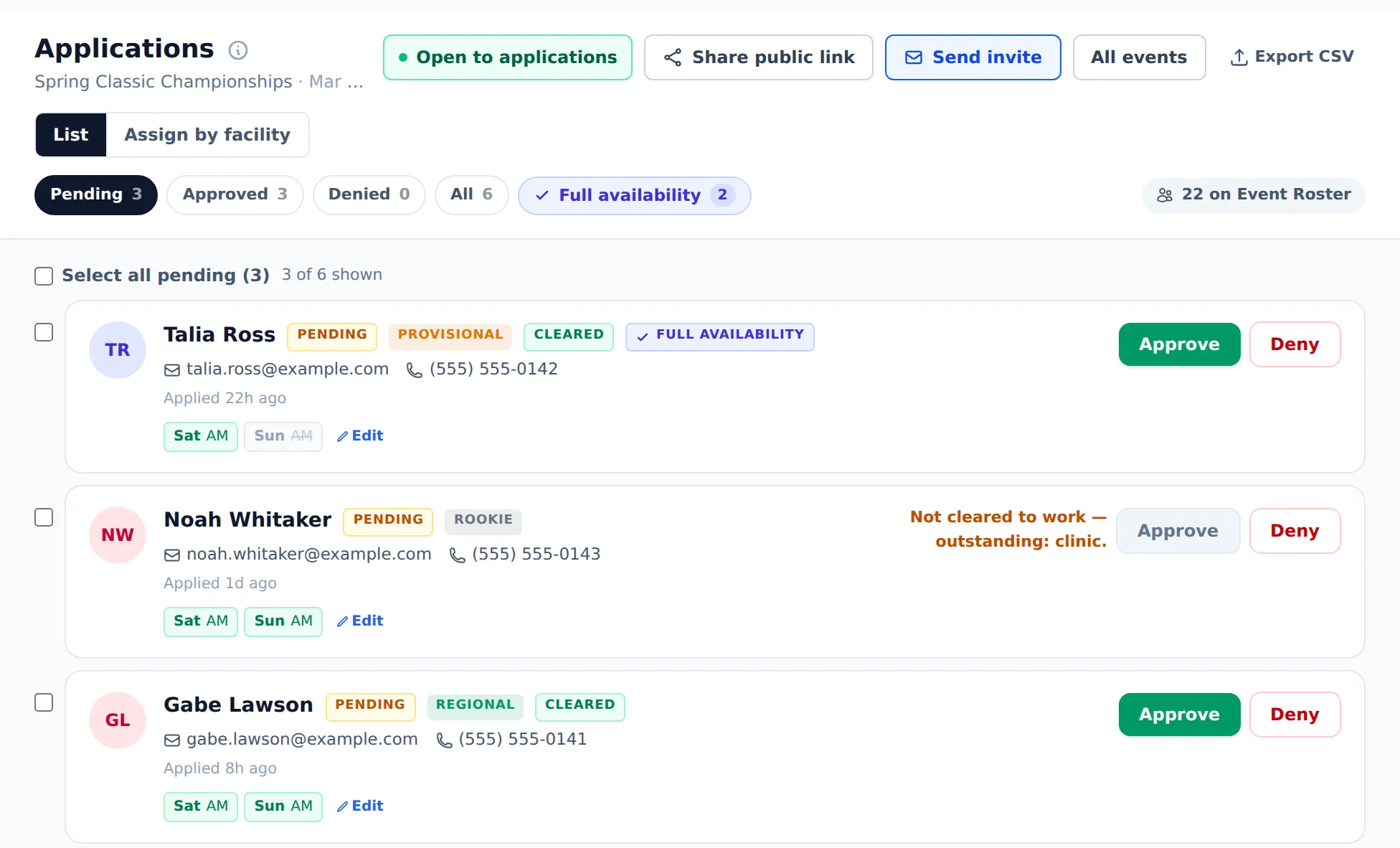
Three ways to add officials.
Officials apply and you approve them, you add people yourself, or you upload a roster. Each one comes in with their rating and the days they can work.
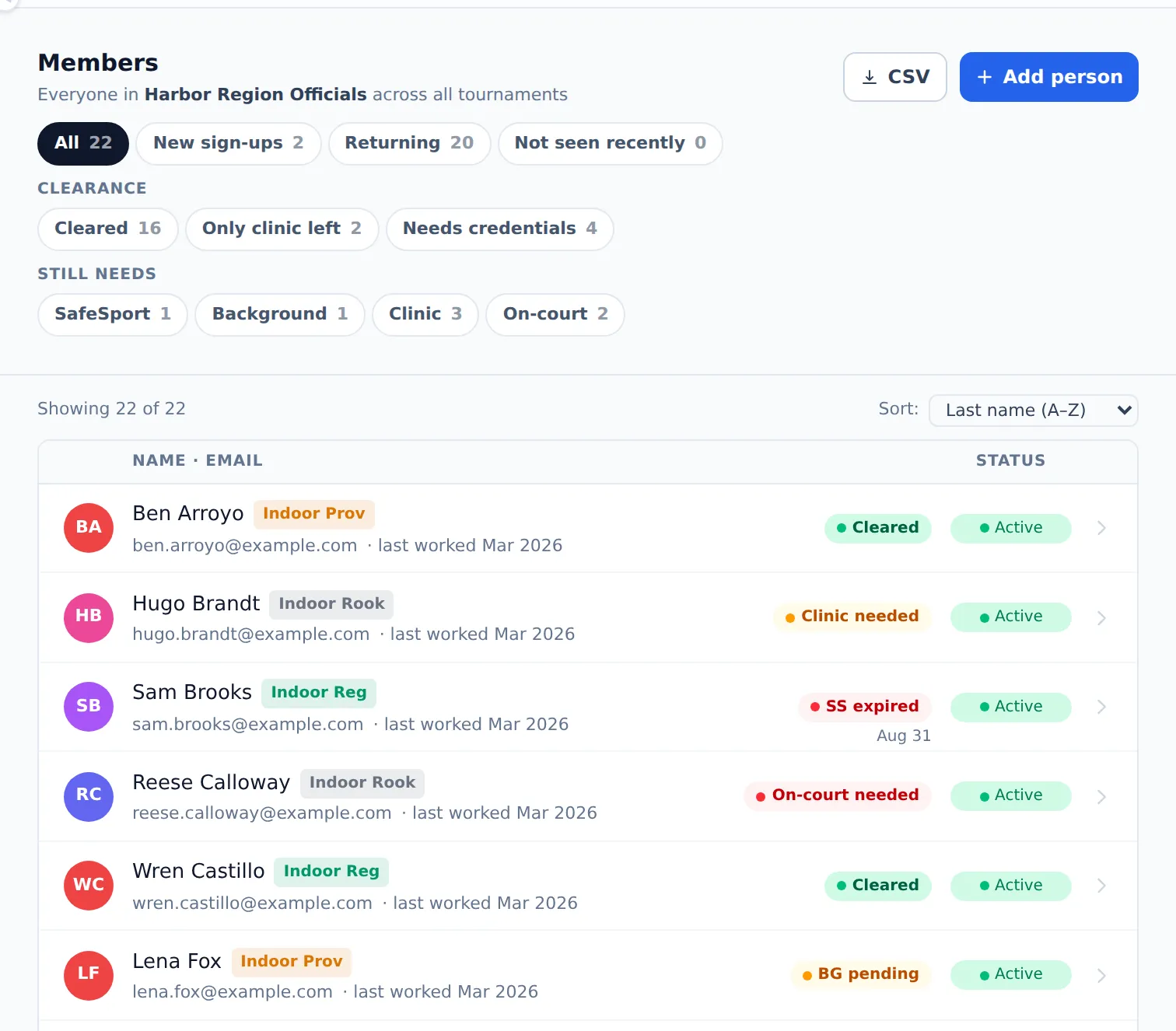
Know who’s cleared to work.
Eventbone pulls each official’s membership, SafeSport training, and background check from your governing body’s system and shows you who’s cleared, who’s close, and what each person is still missing.
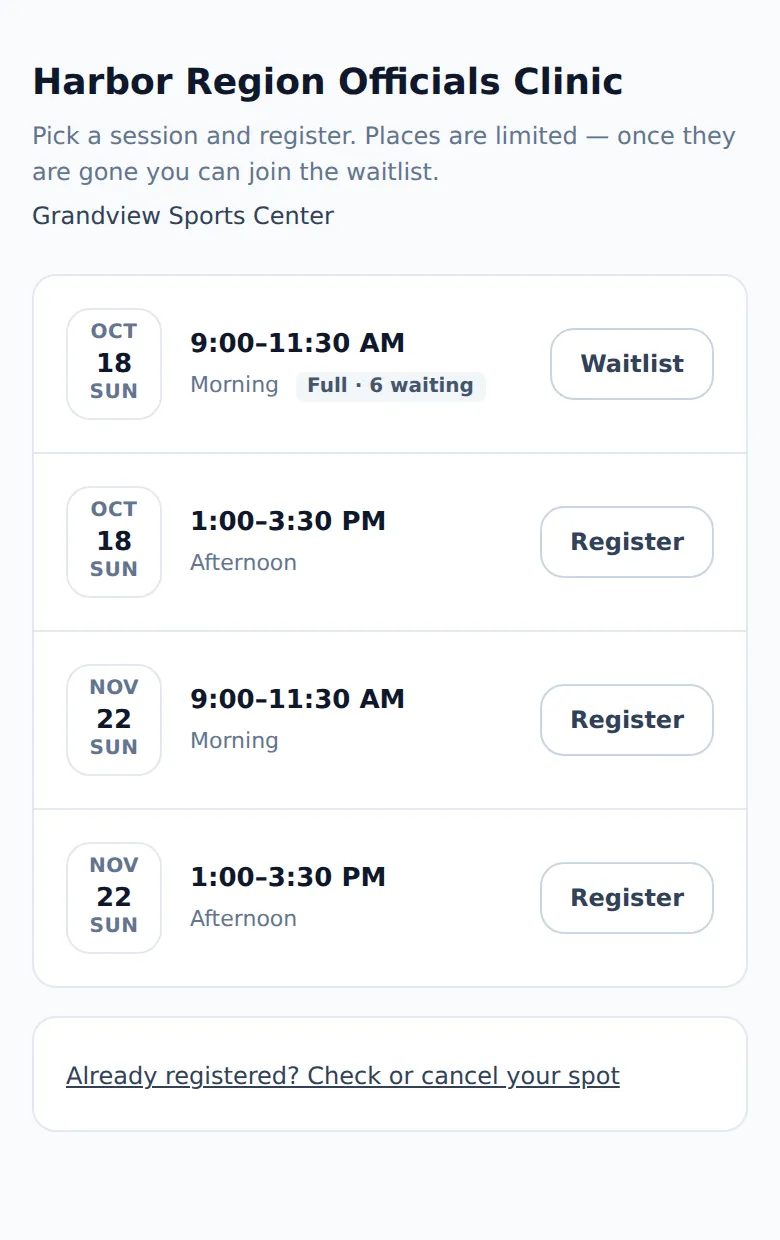
Run your officials clinic.
Post your clinic dates and share one sign-up link. When a session fills up, people join the waitlist, and when a spot opens, the next person gets an email automatically. Reminders go out before the clinic, officials check in at the door with a QR code, and their attendance counts toward their clearance.
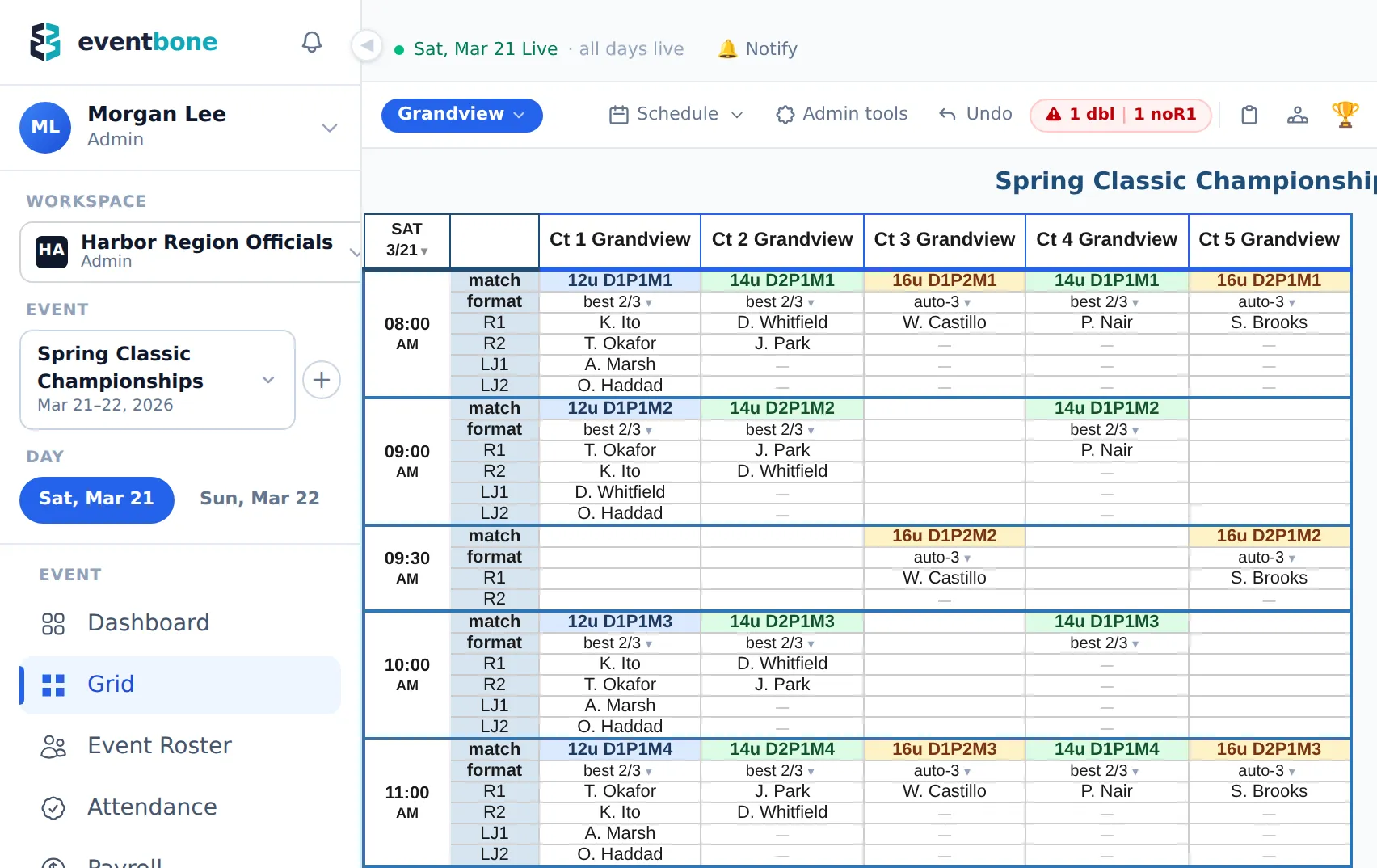
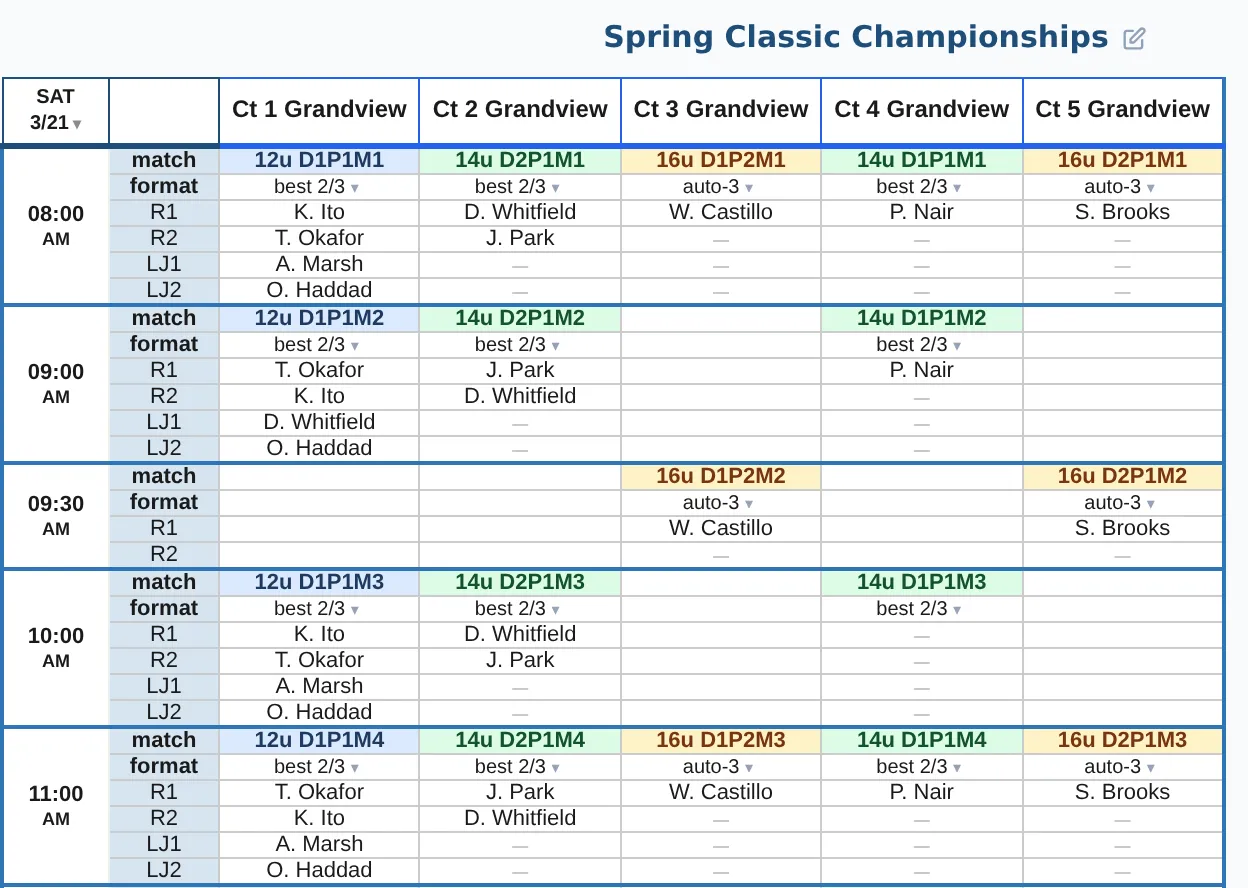
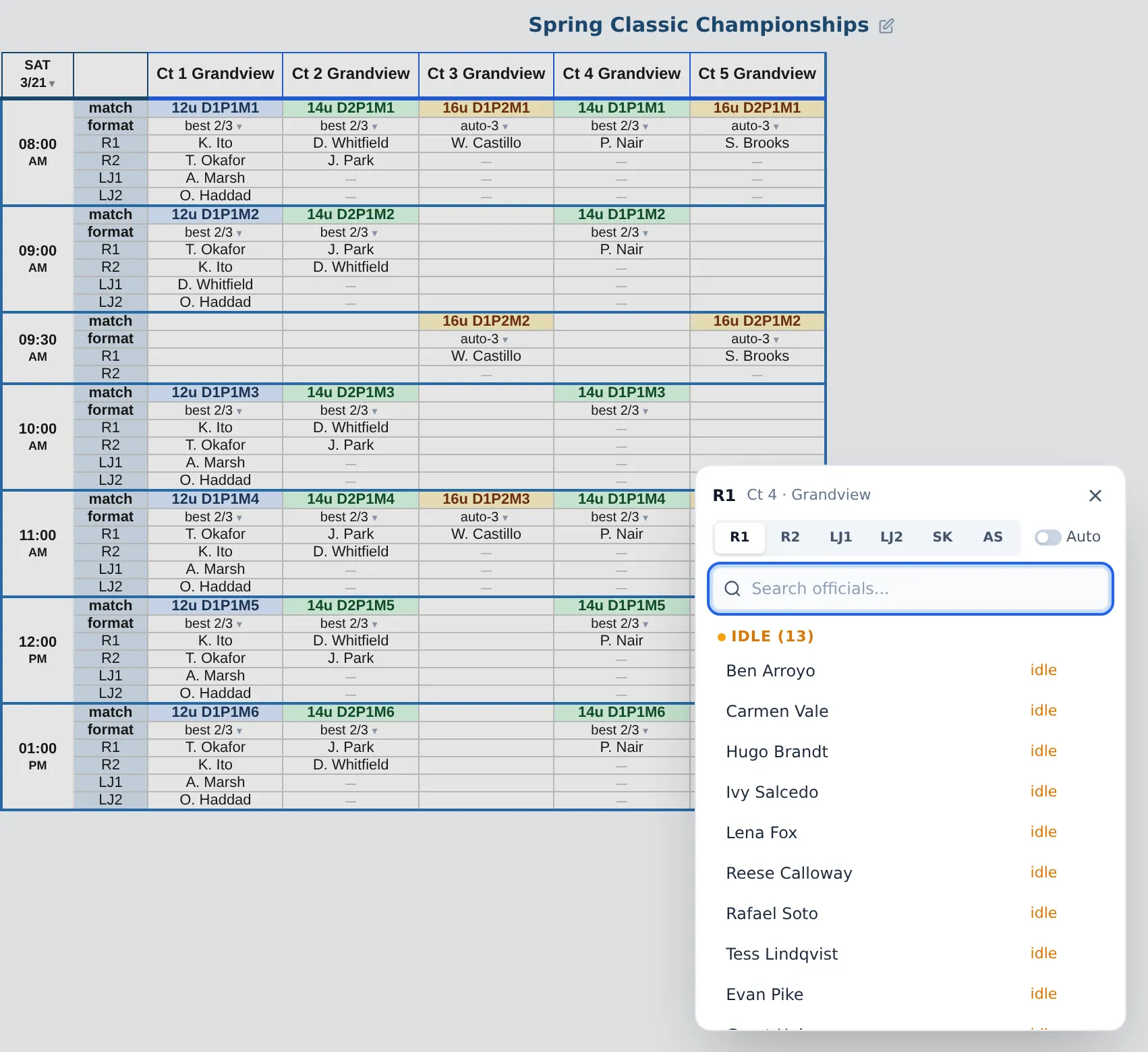
Courts across the top, times down the side.
Each match shows its division, its format, and six spots: two referees, two line judges, a scorekeeper, and an assistant scorer. Courts are grouped by venue, so a four-venue weekend still reads as one schedule. An open R1 is flagged at the top of the schedule and in the problems list, so you won't miss it.
Fill a whole day in one pass.
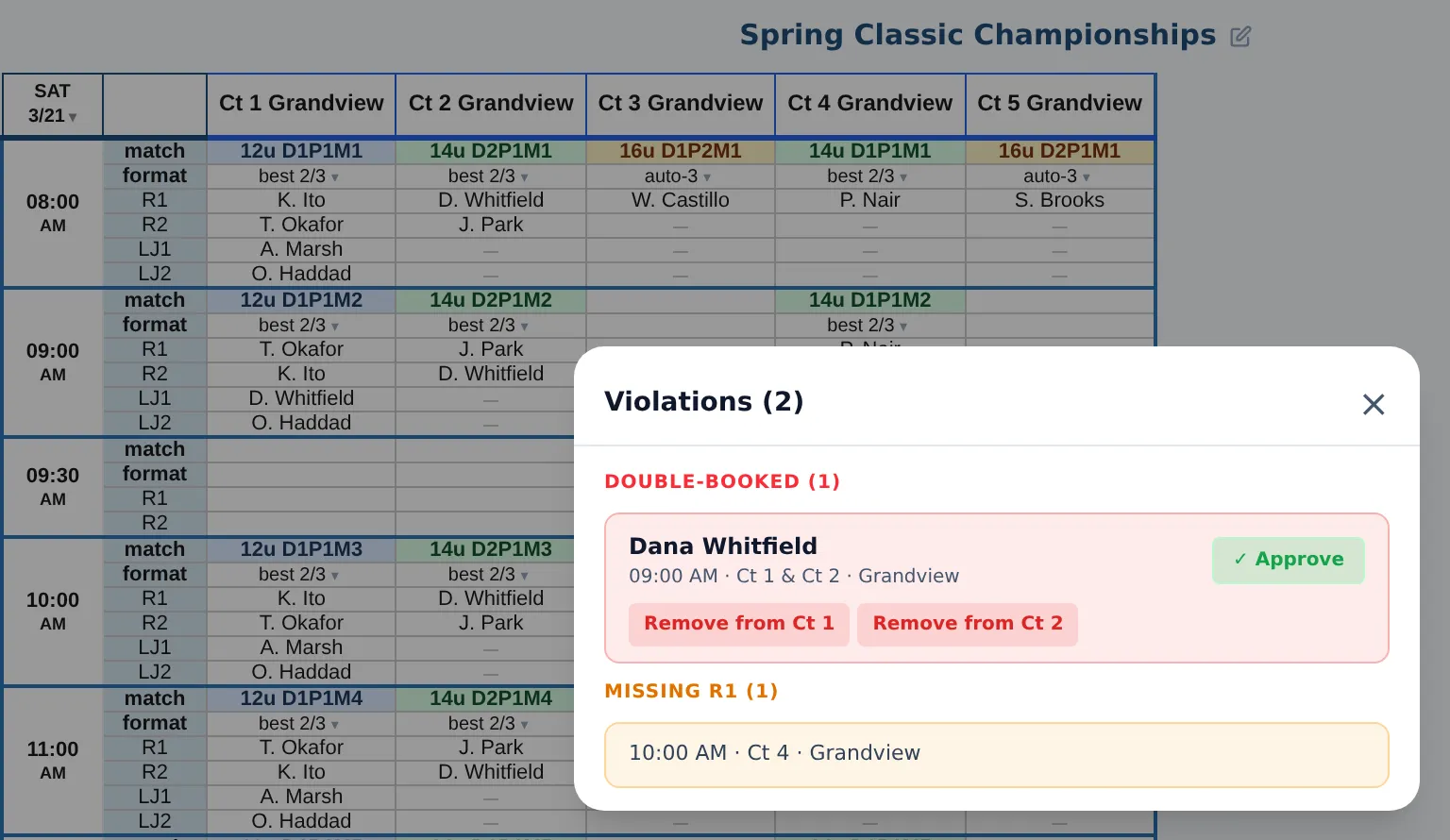
Auto-assign fills the referee spots for a day, a venue, or a wave, using who's available and the courts you've set for each official. It shows you every change before it saves anything, then lists the spots it couldn't fill and any double-bookings for you to fix.
Officials check in by GPS at the venue.
Officials check themselves in from their phone, and they're only marked on site if they're standing at the venue. Send a message to all your officials, and see who it reached. Before the event, they read the event info and confirm it, and you can see who hasn't.
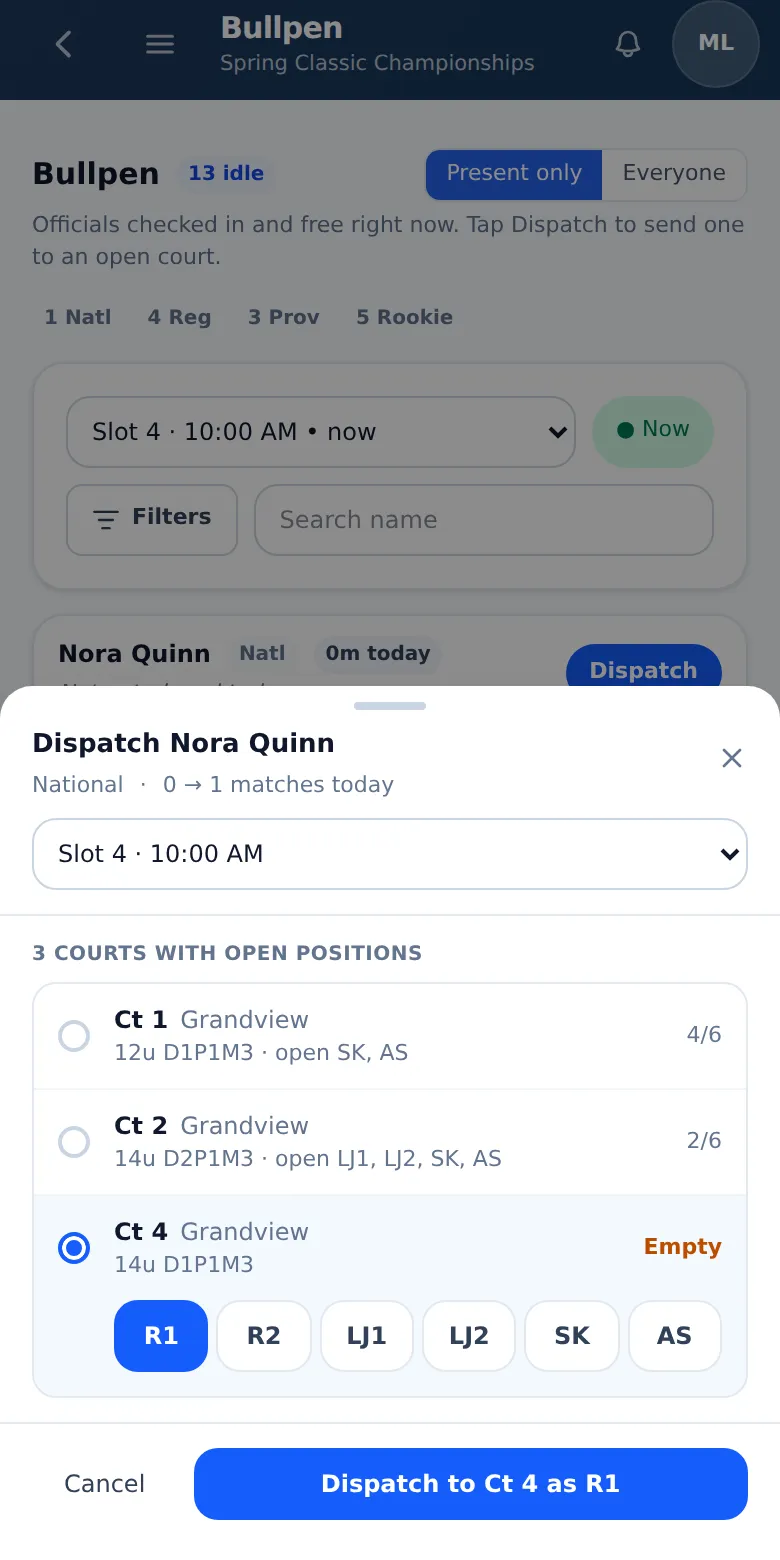
Everyone knows their next court.
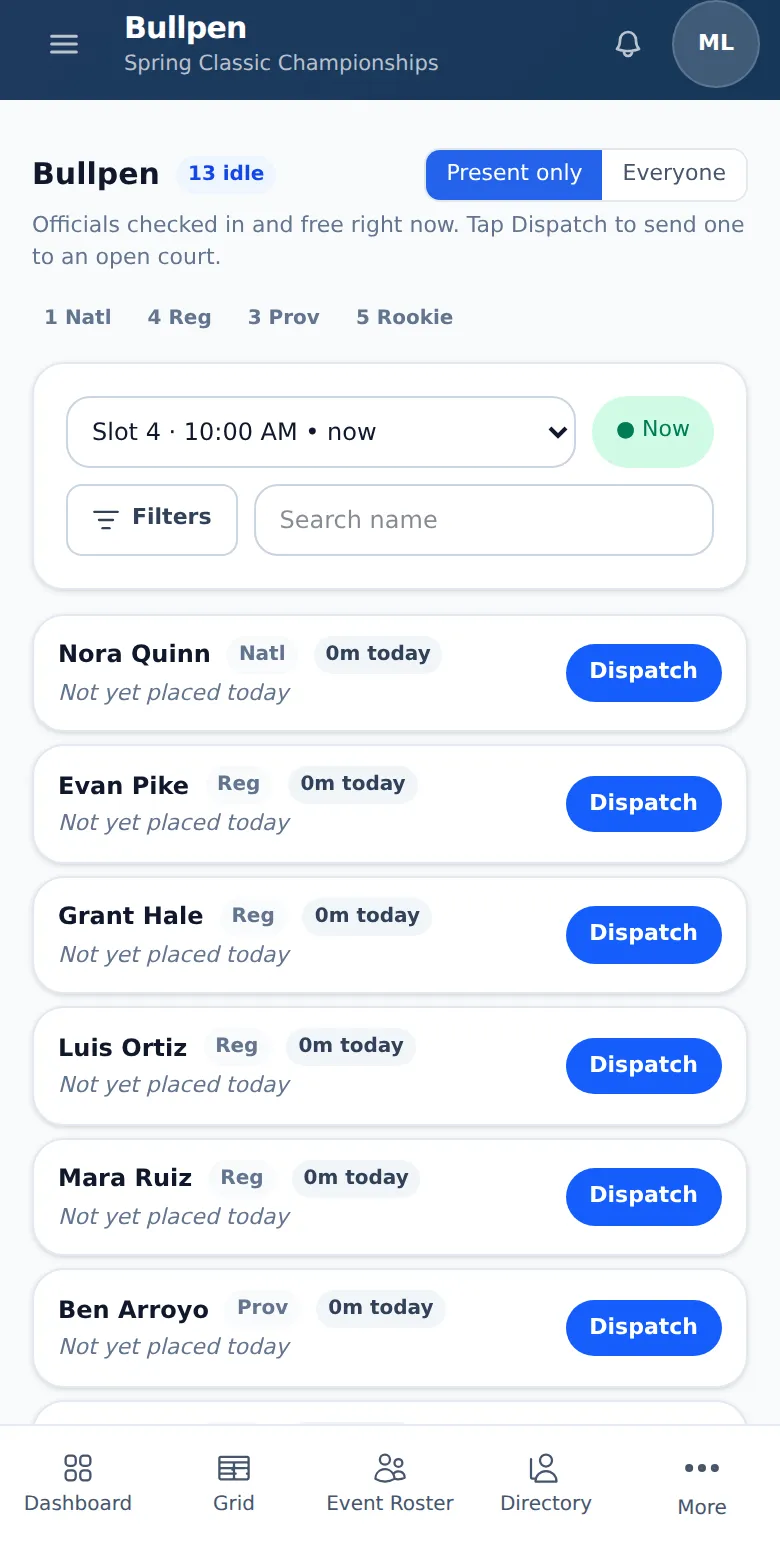
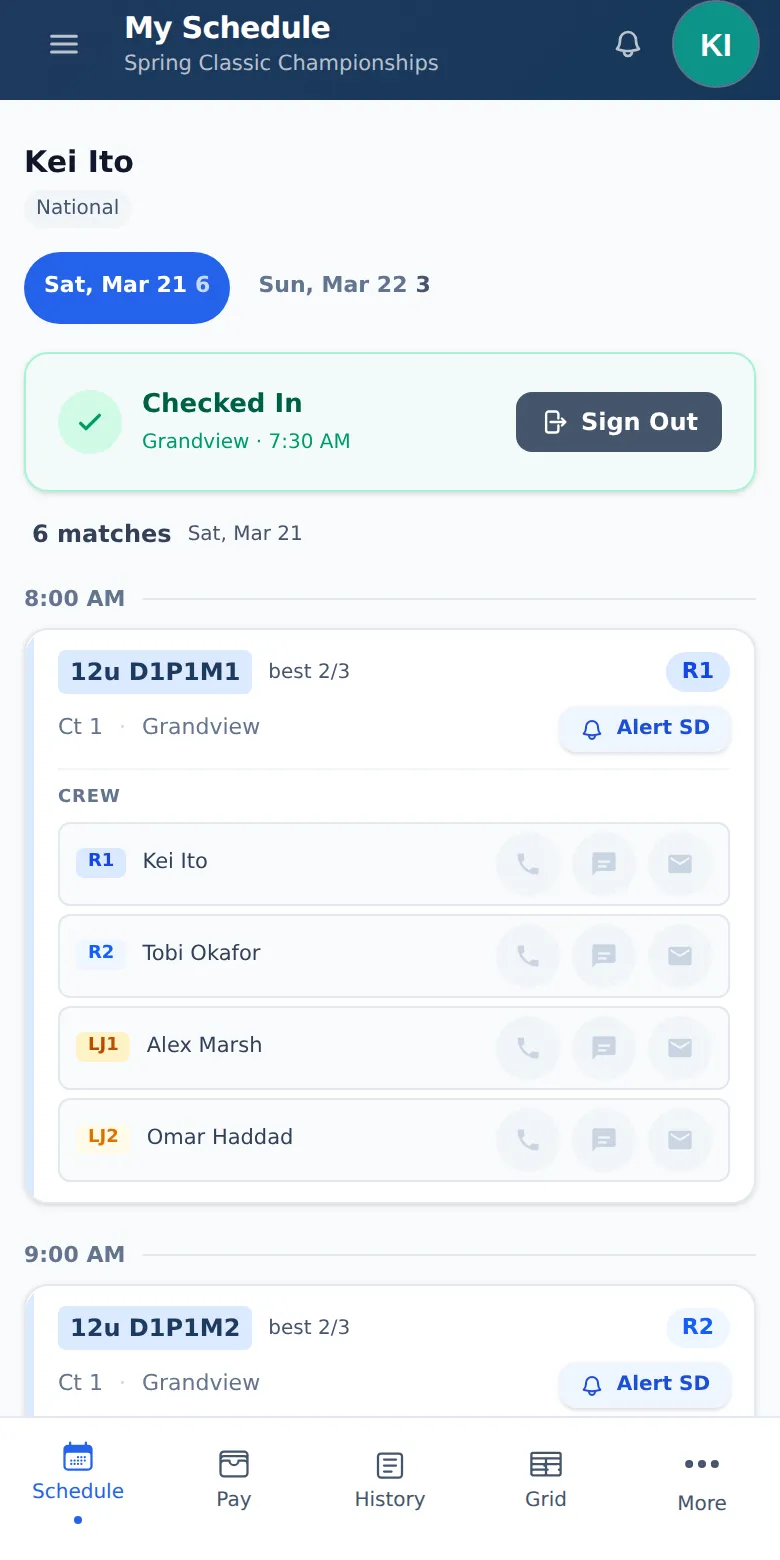
Each official's phone shows where they're needed next: court, position, and time. Move someone on the schedule, and they see it the next time they check their phone. When a spot opens, you send someone from the bullpen (officials who are free right now). Officials also see their pay and their parking pass on their phone. When you post or update the schedule, and when they get paid, they get a message by Telegram or email.
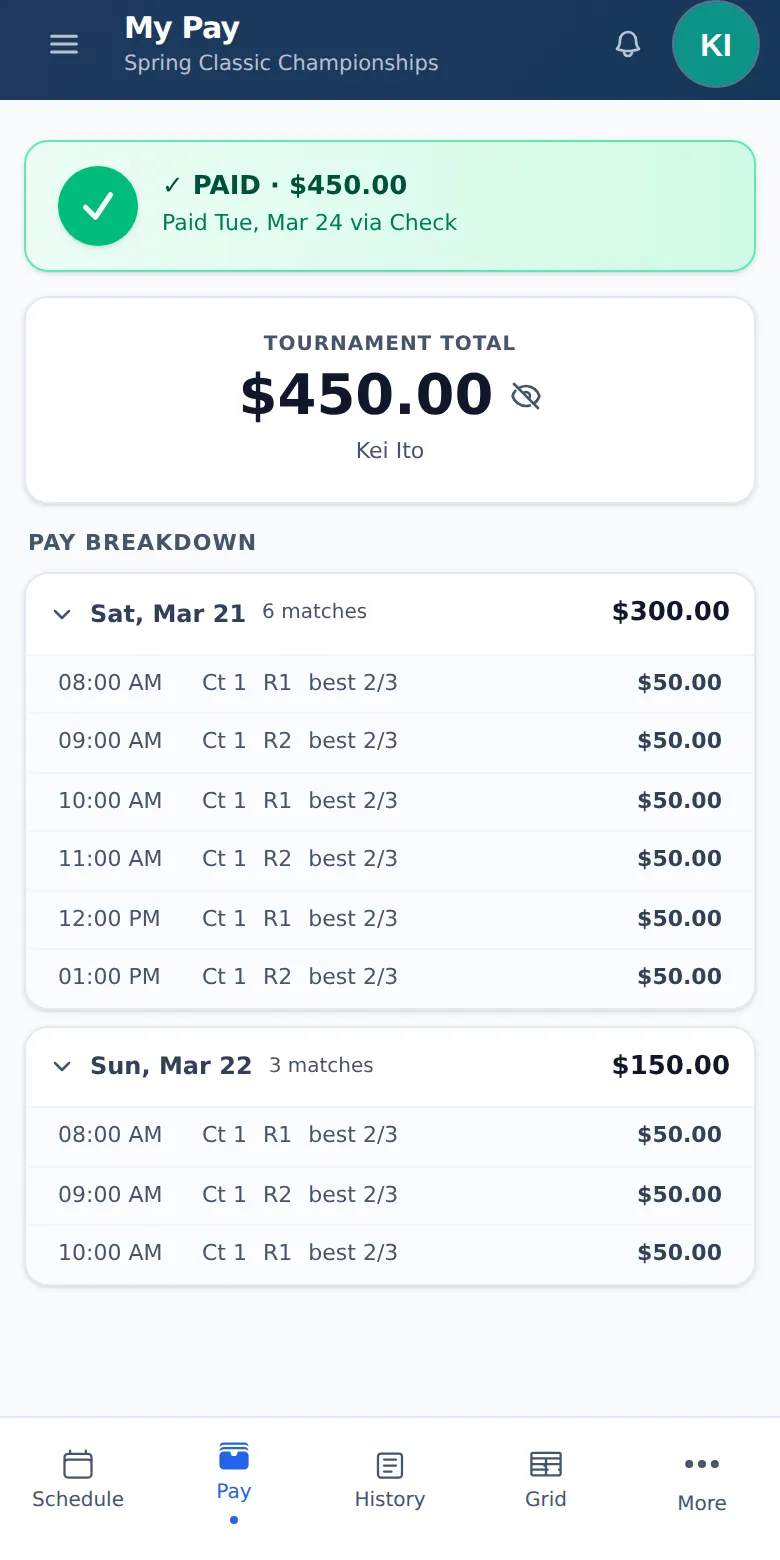
Pay adds up match by match.
Pay depends on the match format and the official's rating, so an auto-3 pays differently than a best 2 of 3, and Eventbone works it out for every match. Head official, lead, and site director pay is on the same line. When the last match ends, the totals are ready to check.
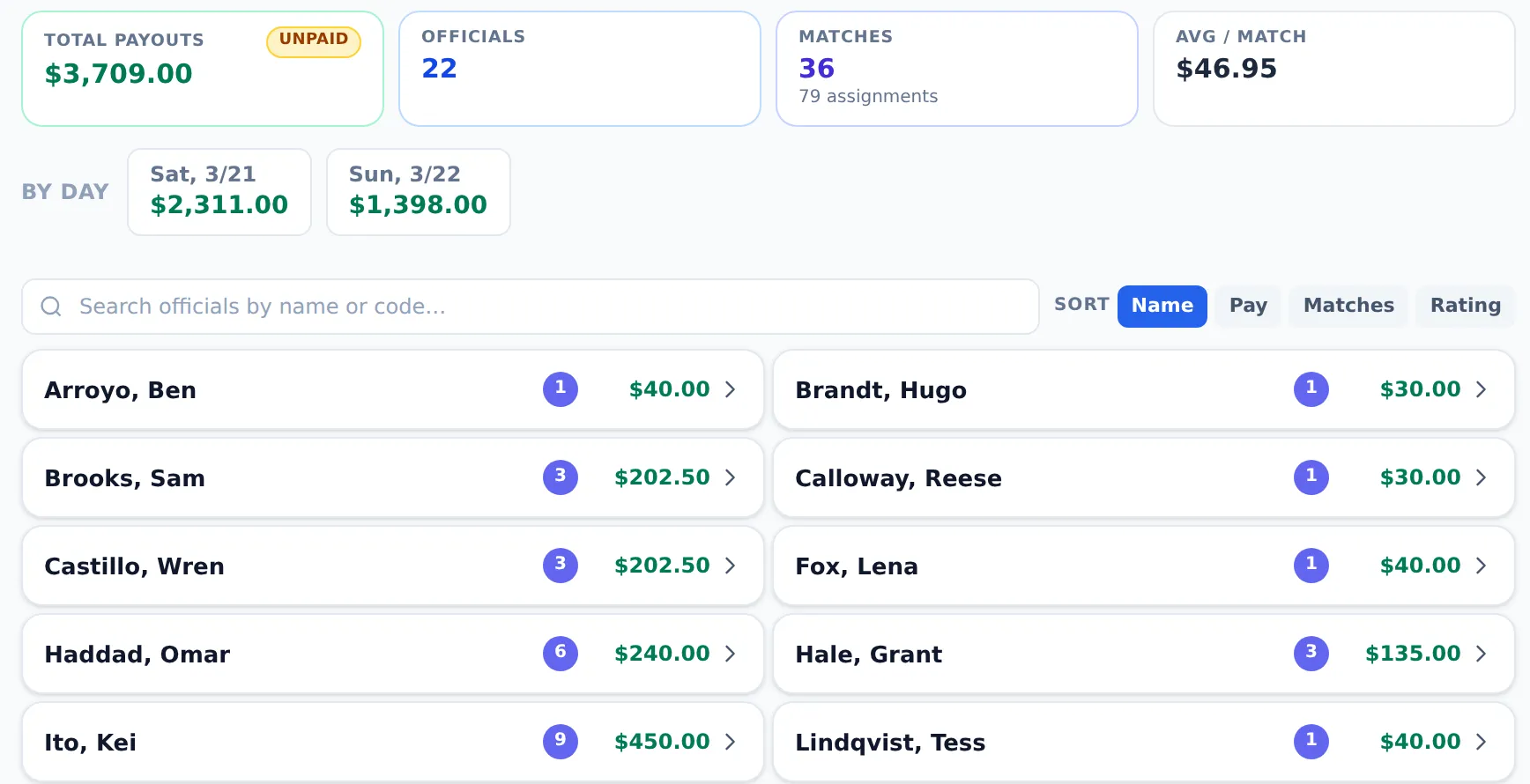
Send your treasurer a spreadsheet or a link.
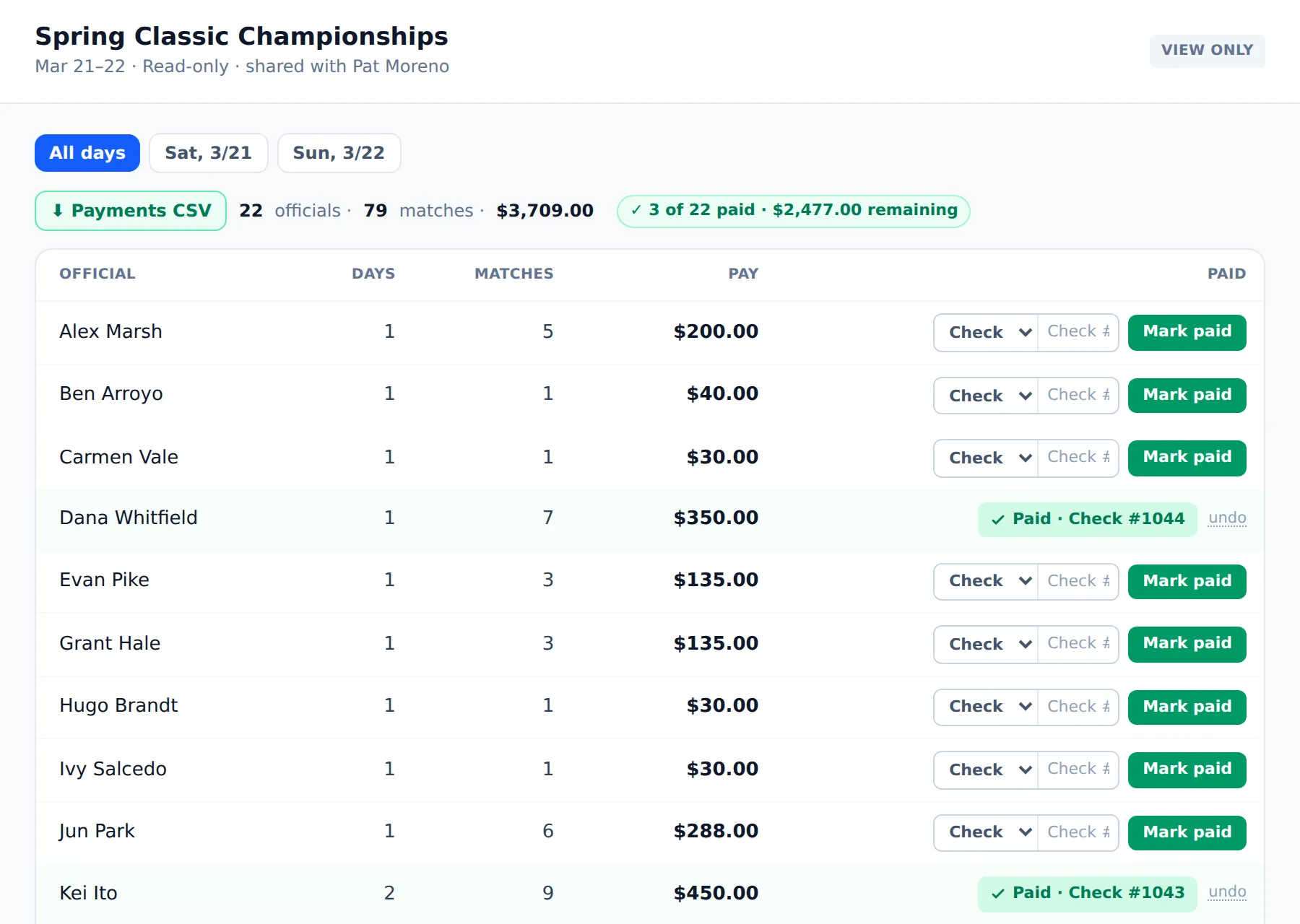
Download payroll as a spreadsheet, or send your treasurer a private link. They see every official's total and the matches behind it, mark each person paid with the method and check number, and that official gets a message right away. Every line ties back to a match someone worked.
2,677 matches on one board.
The SCSN Championships ran 2,677 matches across four venues, up to 118 courts in a single day, with 148 officials, all on Eventbone.
Tell us about your event.
We set up your venues, courts, divisions, and roster with you, and we're on call for your first weekend.
Talk to usor write us at [email protected]